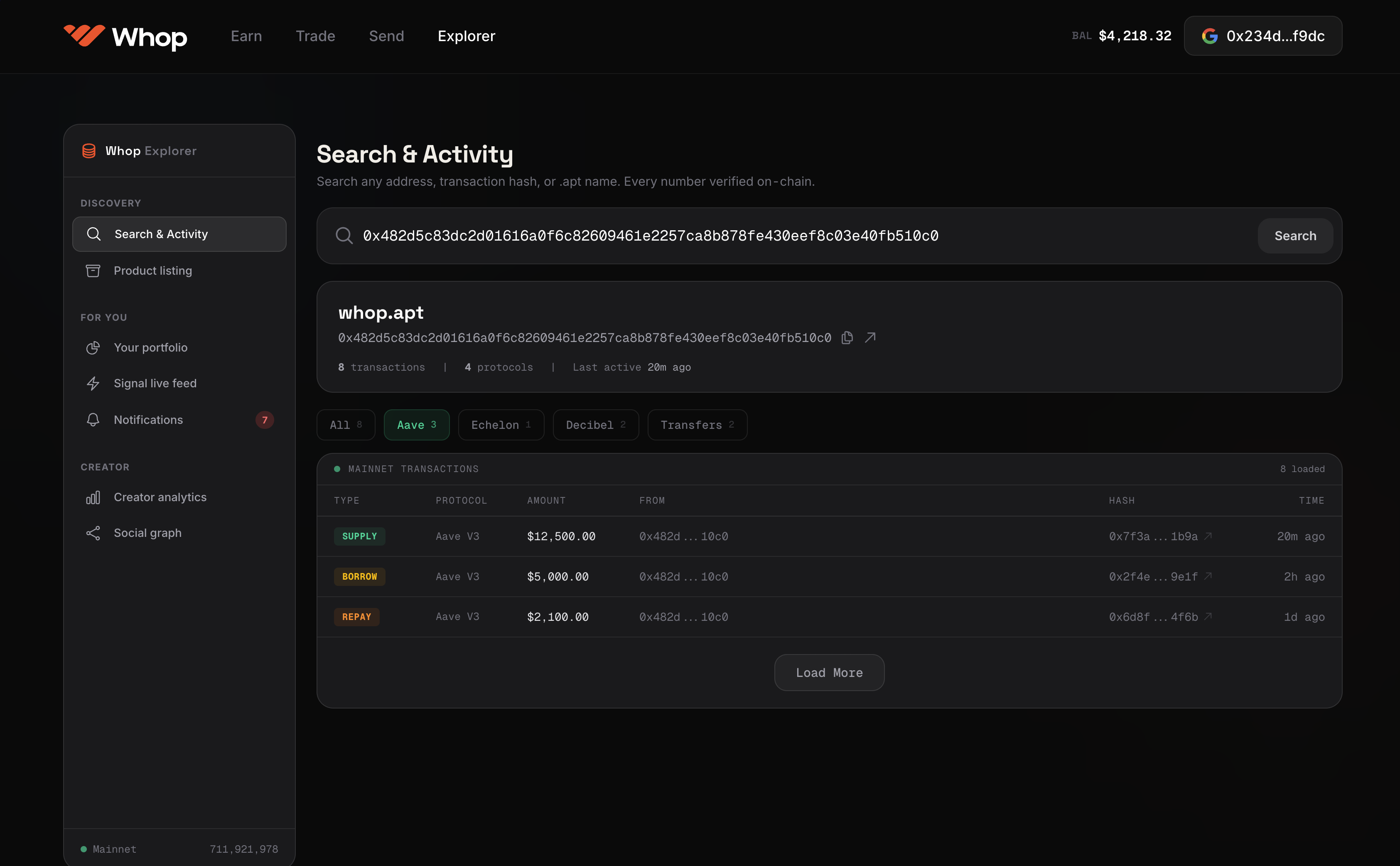
The Problem Explorer Solves
Every existing trading leaderboard has the same fundamental flaw: the numbers are self-reported. A signal caller claims a 76% win rate. There is no independent verification. No source of truth. No way to know if the win rate was calculated by cherry-picking calls, rounding up, or simply fabricating the number.
The Whop Explorer replaces self-reported statistics with cryptographically verified statistics. Every number on Whop Explorer has a proof behind it. Every proof has a timestamp. Every timestamp was generated by the blockchain, not by the person being measured.
Discovery, Verification, and Reputation Layer
The Whop Explorer is the discovery, verification, and reputation layer for the entire Whop platform. It is the interface where traders, signal callers, vault managers, and indicator creators build their verified onchain identity and where users discover who to copy, follow, and fund.
Primary interactions:
- 02Search any
.whopname → get their full verified profile - 04Browse leaderboards (by asset, strategy type, time window, Sharpe, win rate)
- 06Evaluate a signal caller's track record before subscribing
- 08Compare indicators (backtest vs live Sharpe, trade frequency, drawdown)
- 10Natural language queries via QVAC
- 12Watch chart replay clips linked to verified PnL
The Whop Explorer is not a product users interact with in the flow of trading. It is the due diligence tool they use before making decisions. Before subscribing, before copying, before funding a vault. And it is the virality surface. Verified PnL cards are shared from Whop Explorer to social media, creating an acquisition loop.
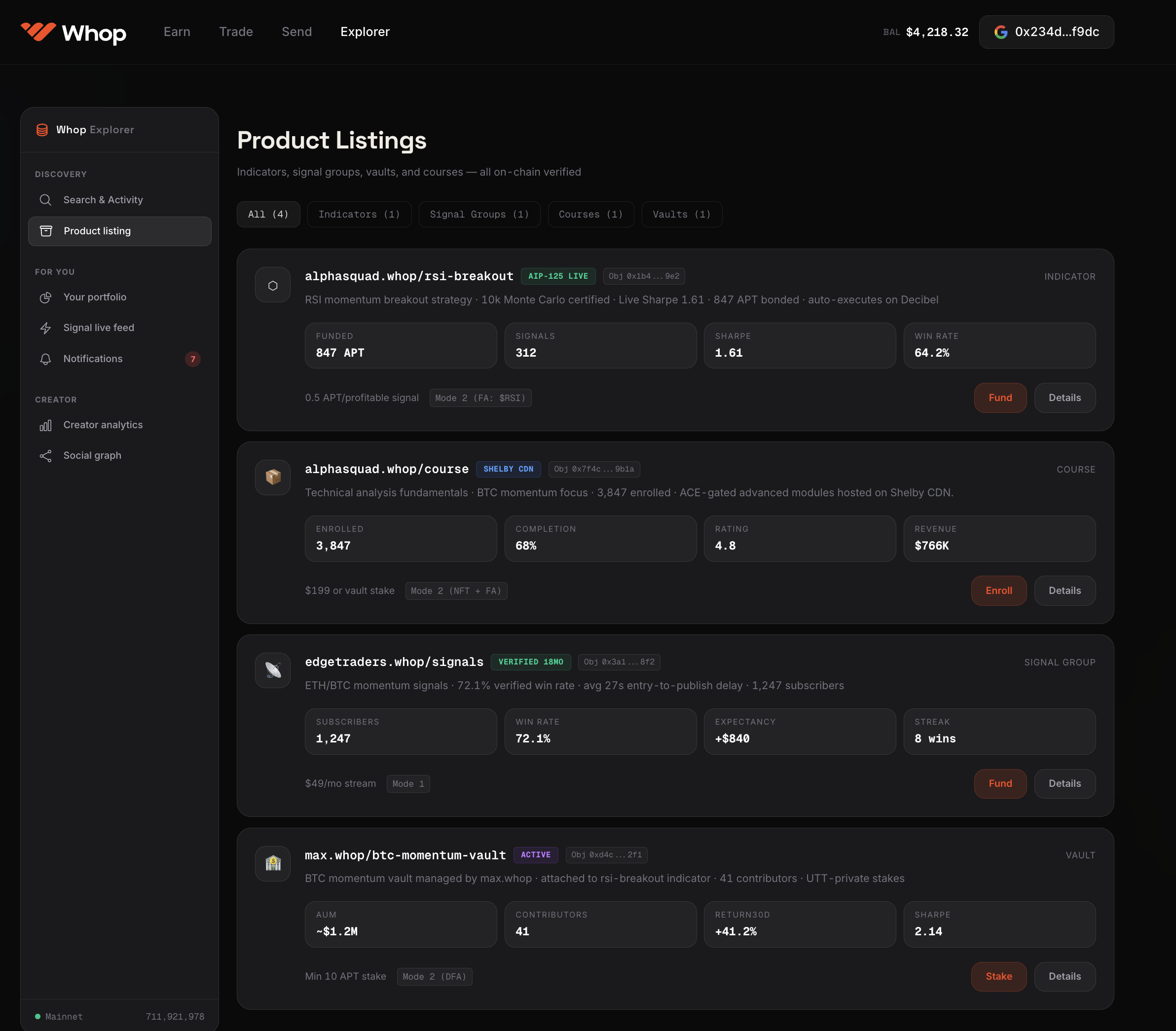
The .whop Name Profile
Type any .whop name in Whop Explorer's search bar and you get:
Identity Overview
- ›Display name and
.whopname - ›Account creation date (onchain, not self-reported)
- ›Total verified PnL (Reclaim-attested, dollar figure)
- ›Verified win rate (from PnL card set, cannot be cherry-picked)
- ›Active trading streak / max drawdown ever
- ›Products listed (signal groups, indicator strategies, vaults, Feed articles)
Trade History
Full chronological list of every trade, with:
- ›UTT nullifier timestamp (onchain, cannot be backdated)
- ›Asset and direction (long/short)
- ›Dollar PnL (Reclaim-attested)
- ›Entry-to-publication delay (for signal calls. Time between their trade entry and when they published the call to followers)
- ›Chart replay clip (linked, watchable inline in Whop Explorer)
- ›Which indicator or signal generated the trade (attribution chain)
Trades cannot be hidden or selectively shown. The trade record is a complete append-only list of everything executed through Whop under that .whop name. If a trade happened, it appears. If it doesn't appear, it didn't happen through Whop.
Signal Group Track Record
If the .whop name runs a signal group:
- ›Overall verified win rate (all calls, not selected subset)
- ›Average entry-to-publication delay (key anti-fake-signal metric)
- ›Expectancy (avg PnL per call)
- ›Average hold duration
- ›Best call / worst call (both shown, no hiding losses)
- ›Subscriber growth trend (growing or declining community, signal of product quality)
- ›Content Rewards earned (shows economic traction)
Indicator Strategies
If the .whop name has deployed indicators on the Indicator Marketplace:
- ›Strategy name and version , such as
max.whop/rsi-breakout-v2, - ›Backtest Sharpe (certified onchain at deployment)
- ›Live Sharpe (updated continuously from actual execution data)
- ›Backtest vs live Sharpe divergence (the overfitting metric. Shown prominently)
- ›Win rate, expectancy, max drawdown (backtest AND live, side by side)
- ›Total trades executed (live, not backtest)
- ›Bonding curve funding status (how much capital has funded this strategy)
- ›Alerts: "Staleness flag" if no signal in 30 days, "Curve-fitting flag" if backtest vs live gap is significant
Vault Management
If the .whop name manages a vault:
- ›Vault name and
.whopidentifier , such asalphasquad.whop, - ›Total AUM (approximate. UTT-private individual stakes, but aggregate visible)
- ›Verified vault PnL (UTT-timestamped trades, Reclaim-proven dollar figures)
- ›Attached strategy (which indicator or signal caller)
- ›Vault strategy version history (all updates recorded onchain with timestamps)
- ›Contributor count (not individual stakes. Those are UTT-private)
Feed and Content
- ›All published articles (titles always free)
- ›Engagement metrics (read count, how many readers paid past paragraph N)
- ›Content Rewards earned from each article
- ›Top-performing content (most reads, most subscriptions generated)
Chart Replay Library
Every chart replay clip for that .whop name, sorted by:
- ›Most watched
- ›Most profitable trade
- ›Most recent
- ›Most viral (measured by downstream subscriptions generated)
Leaderboards
Explorer's leaderboards are the discovery surface. The way new users find signal callers, indicators, and vaults worth investigating.
Signal Caller Leaderboard
Sortable by:
- ›Overall verified win rate (30 days / 90 days / all time)
- ›Total verified PnL ($)
- ›Expectancy (avg PnL per call)
- ›Entry-to-publication delay (lower = more trustworthy. They're not publishing after the move)
- ›Active streak (consecutive profitable calls)
- ›Subscriber growth rate
Anti-gaming: Because win rate, PnL, and delay are all cryptographically verified from onchain data, leaderboard positions cannot be manipulated by selective disclosure, cherry-picking, or manufactured reviews. The only way to rank higher is to actually trade better.
Indicator Leaderboard
Sortable by:
- ›Live Sharpe ratio (30 days / 90 days / all time)
- ›Backtest vs live Sharpe ratio gap (lower gap = less overfitting)
- ›Total capital funded on bonding curve
- ›Signal frequency (how often it fires)
- ›Win rate (from live execution)
The overfitting flag: Indicators where the backtest Sharpe is more than 2x the live Sharpe are prominently flagged as potentially overfit. This is one of the most important quality signals. It separates genuine alpha from curve-fitted backtests.
The staleness flag: Indicators that haven't fired a signal in 30 days are flagged as stale. Dead strategies don't stay at the top of the leaderboard.
Vault Leaderboard
Sortable by:
- ›Verified vault PnL (UTT-timestamped)
- ›Sharpe ratio
- ›AUM (approximate aggregate)
- ›Time active
- ›Drawdown (lower is safer)
Regional / Asset Leaderboards
The Whop Explorer supports filtered leaderboards by:
- ›Asset class (BTC, ETH, SOL, perps, spot)
- ›Time window (last 7 days, 30 days, 90 days, all time)
- ›Trade type (signal calls, copy, indicator-bot, vault)
- ›Strategy style (momentum, mean-reversion, breakout, arbitrage. Tagged by creators at listing)
QVAC. Natural Language Queries
QVAC is the AI layer over the full indexed on-chain + Shelby identity graph. It answers natural language questions about the entire Whop ecosystem.
Supported Query Types
Discovery queries:
- ›"Show me all signal callers with verified win rate above 65% active in the last 90 days"
- ›"Which indicators are profitable in the current BTC volatility regime?"
- ›"Find vault managers whose live Sharpe is above 1.5 with at least 6 months of track record"
- ›"Show me traders who successfully called the BTC correction in March"
Due diligence queries:
- ›"Has max.whop ever had a losing month?"
- ›"How does max.whop's indicator performance compare to their signal calls?"
- ›"When did alphasquad.whop change their vault strategy and what happened to performance after?"
Historical queries:
- ›"What were the top 10 most profitable trades on Whop in Q1?"
- ›"Which signal callers had the lowest entry-to-publication delay in the last 30 days?"
- ›"Show me all indicators that fired a signal the day before a 10%+ move"
Pattern queries:
- ›"Find indicators that perform well when BTC dominance is above 55%"
- ›"Which signal callers have consistent performance across both bull and bear market regimes?"
- ›"Show me all copy traders whose followers outperformed the caller's stated PnL"
QVAC Limitations
QVAC operates only on indexed onchain data and Shelby content. It cannot:
- ›Access individual wallet addresses (UTT-protected trades are fully private)
- ›Reveal individual vault contributor stakes
- ›Access raw trade data from external exchanges (only Reclaim-attested aggregates)
- ›Answer questions about trades that happened off Whop
QVAC Training
QVAC improves over time by learning from user behavior on Terminal and Explorer:
- ›Which queries lead to profitable discoveries (user subscribes after the query)
- ›Which query patterns correlate with future signal caller success
- ›How to better map natural language market terminology to onchain data structures
This creates a feedback loop: better QVAC → better discovery → better user retention → more data → better QVAC.
Content Search and Discovery
Beyond the leaderboard and identity profile, Whop Explorer has a full-text search over all Feed articles, course content, and signal call descriptions.
The paywall model for search:
- ›Title and first paragraph: always indexed, always visible in search results
- ›Full article: ACE-encrypted, requires 5¢/paragraph to unlock
- ›Content matching a query: shows the title + first paragraph, with a "5¢ to read" prompt inline
Why this is better than a traditional content paywall: On a traditional paywall, you see a headline and nothing else. You don't know if the article is what you're looking for until you pay. On Whop Feed via Whop Explorer, you see the title, first paragraph, and. Crucially. Whether the article's content matches your specific search query. You can evaluate relevance before paying.
The acquisition loop: High-quality articles that get discovered via search → readers pay to unlock → Content Rewards distributes → creator earns → creator has incentive to write more quality content → more search-discoverable content → more readers. The loop is self-reinforcing.
The Acquisition Flywheel via Social Sharing
PnL cards are Explorer's most powerful external acquisition mechanism.
The flow:
- 02Trader on Whop makes a profitable trade
- 04PnL card is automatically generated (UTT timestamp + Reclaim proof + chart replay)
- 06Trader shares the PnL card to Twitter/X (single tap)
- 08Twitter user sees: verified dollar PnL, cryptographic timestamp, chart replay thumbnail
- 10Twitter user clicks → lands on Whop Explorer profile
- 12The Whop Explorer shows: full track record, all verified stats, chart replay library
- 14Twitter user subscribes to signal group / funds indicator / starts copy trading
- 16Content Rewards records the conversion → creator earns 10x multiplier
The card's credibility is the acquisition mechanism. A PnL card that says "verified by ZK proof" and links to an onchain timestamp is fundamentally different from a screenshot that could be Photoshopped. The credibility converts.
The Verified Track Record as an Asset
After 12-18 months of using Whop, a serious signal caller has accumulated:
- ›500+ trades with UTT timestamps
- ›500+ PnL cards with Reclaim proofs
- ›A verified win rate and Sharpe ratio
- ›A chart replay library
- ›A Content Rewards earnings history
All of this is attached to their .whop name permanently onchain. It cannot be faked retroactively. It cannot be deleted. If they ever want to move to a different platform, their track record stays associated with their .whop name and remains verifiable by anyone.
This creates a powerful retention dynamic: the track record is the asset, and the track record only grows more valuable with time. The .whop name accumulates reputation the way a professional reputation is built in traditional finance. Through a long record of documented performance.
A signal caller with 24 months of verified onchain track record under max.whop has something genuinely scarce and valuable. That .whop name, and the track record attached to it, Has real secondary market value.
Explorer vs Existing Leaderboards
| Feature | Whop Explorer | Typical leaderboard | Myfxbook |
|---|---|---|---|
| Performance verification | Cryptographic (UTT + Reclaim) | Self-reported | Broker API (revocable) |
| Trade timing proof | UTT nullifier (onchain, immutable) | Self-reported timestamps | No timestamp verification |
| Position size disclosure | Optional (ACE-gated) | Required or assumed | Visible |
| Cherry-picking prevention | All trades required | Not enforced | Users control what's shown |
| Fake screenshot possible | No (ZK proof required) | Yes | No |
| Data source | Whop execution + Reclaim | Creator's report | Specific broker only |
| Chart replay | Every trade | No | No |
| Natural language queries | QVAC | No | No |
| Reputation portability | Onchain via .whop name | Platform-specific | Platform-specific |
| Secondary market for track record | Yes (.whop name marketplace) | No | No |